Starlink After Four Years Off Grid: My Honest Review
Starlink removed reliable internet as a limitation on where we could travel, live, and work.
My wife works remotely full-time. I produce videos, livestream a weekly show, publish a podcast, and operate online businesses. Before Starlink, we tried building our mobile internet around a cellular router and multiple SIM cards with data plans. It worked until we traveled to the places we actually wanted to be—places where the cellular signal was weak or nonexistent.
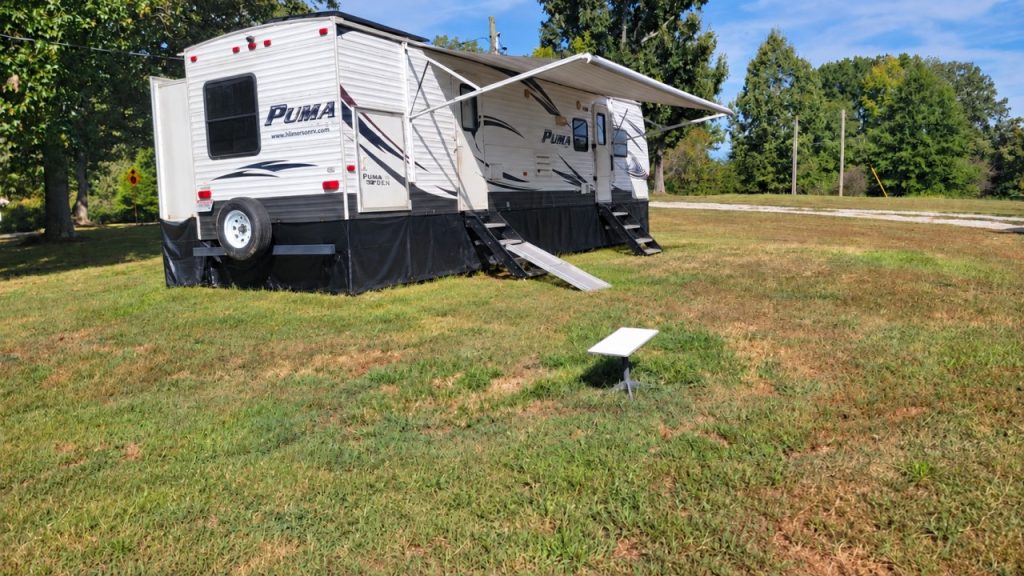
This Starlink RV review is based on about four years of real-world use—from South Dakota down to Texas, across to Tennessee, and through the states in between. We currently use it at our rural Tennessee property, where good cellular internet still isn’t a realistic option.
It hasn’t been flawless, and it isn’t cheap. Our Roam plan currently costs $175 per month, although less expensive Residential plans may be available if you don’t need roaming. But we couldn’t do what we’re doing without it.
Referral disclosure: This is my personal Starlink referral link. Eligible new Residential or Roam customers who order through it receive one free month of service during their second month. If the referral qualifies, I receive a $100 Starlink service credit. It doesn’t cost you anything extra.
Last updated September 7, 2026.
The Short Version
I recommended Starlink for four years before there was a $100 referral reward, and I would recommend it without one.
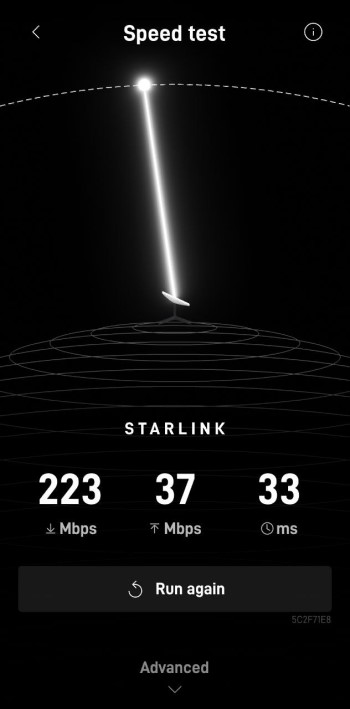
At our current location, we typically see more than 100 Mbps download and around 20 Mbps upload with low latency. My wife can remain connected to her employer’s VPN, use Teams, attend video meetings, transfer large files, and make Wi-Fi calls.
At the same time, I can upload large videos, work on websites, produce the podcast, or livestream The LOTS Project Morning Show.
She has fewer connection problems than some coworkers who have fiber at home or are working from an office.
If you need reliable high-speed internet for RV travel, remote work, camping, extended stays, or a rural property with lousy conventional options, Starlink deserves a serious look.
Why We Bought Starlink
We originally set up our RV with a cellular router and SIM cards from multiple carriers. On paper, that looked like a good mobile internet system. In the real world, our connection was only as good as whatever towers happened to cover the area.
That became a problem because internet access wasn’t optional for us. My wife’s job depended on it, and so did my content production and online work.
The places we most wanted to visit were often the places where the cell-based setup performed worst. Much of West Tennessee—including the property where we’re building our off-grid cabin—is a perfect example.
Starlink dramatically increased our speeds, made the connection more stable, and gave us confidence that we could work from the places we chose to be.
Within a few months, we canceled the cellular router plans. Starlink replaced that system completely and has continued to improve during the four years we’ve used it.
Can Two People Really Work Through It at the Same Time?
Yes. We do it regularly.
My wife’s normal workday can include:
- Constant VPN access
- Microsoft Teams
- Video meetings
- Large downloads and uploads
- Wi-Fi calling because local cellular coverage is minimal
My work can simultaneously include:
- Livestreaming The LOTS Project Morning Show
- Uploading large YouTube videos
- Producing and publishing a podcast
- Maintaining websites
- Operating online businesses
- General research and content production
We normally have two phones and anywhere from three to eight other devices connected. The standard Gen 2 router has covered our RV without a problem.
Results will vary with location, network conditions, plan, and hardware, but this is what our actual household workload looks like.
Our RV Starlink Setup
Our setup is simple:
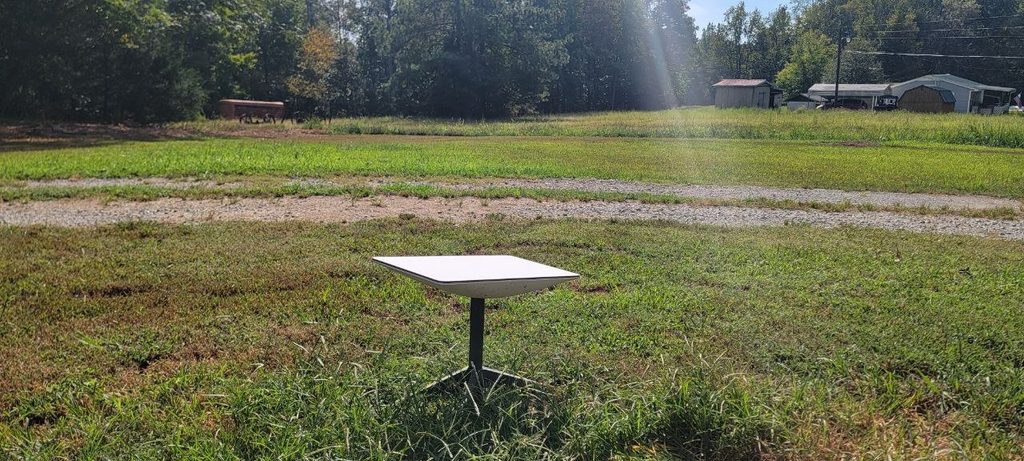
- Put the Gen 2 dish outside in the clearest area we can find.
- Run the Starlink cable into the RV through the same exterior port used by the shore-power cable.
- Connect it to the standard Gen 2 router.
- Power everything through the RV.
We can normally have it set up and connecting within a few minutes. We’ve never needed a complicated third-party network inside the RV.
We carry Starlink cables in more than one length so we can position the dish where the sky is clearest without putting the cable somewhere dangerous.
Here’s the simple method we use to run the Starlink cable into our RV without drilling another hole:
Trees and Obstructions
A clear view of the sky still matters. We look for an open area instead of expecting the dish to work through a wall of trees.
In our experience, Starlink has become considerably better at dealing with partial obstructions over the years. Even so, I wouldn’t buy it under the assumption that trees no longer matter.
Use the Starlink app’s obstruction tool at the exact location where you plan to place the dish.
At heavily wooded campsites, having multiple cable lengths gives us more options for reaching a clearing.
Using Starlink on Solar Power
We powered Starlink from our RV solar and battery system while traveling and boondocking. Its consumption was noticeable but not outrageous. With our Gen 2 hardware, I generally observed roughly 20–40 watts during the times I checked it.
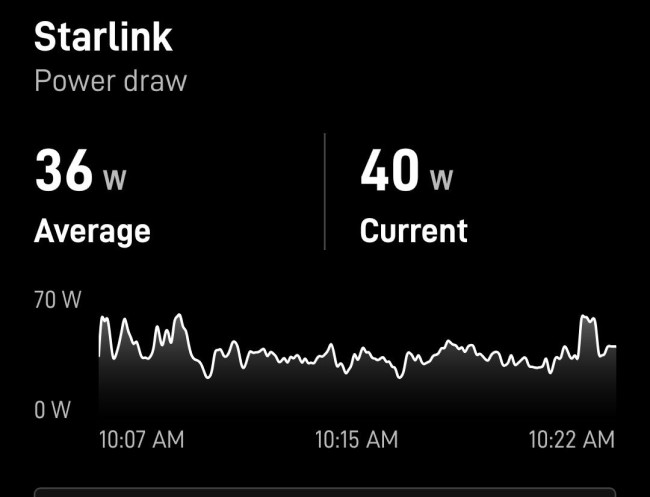
That number is our experience, not a guaranteed specification. Different hardware, operating conditions, weather, and features such as snow melt can change consumption.
When conserving battery power mattered, we shut Starlink down overnight.
If you’re designing an off-grid system, treat internet as a continuous load and calculate its daily watt-hours—not merely the instantaneous watt reading.
Learn the basics of designing an off-grid solar system
Reliability and Weather
Starlink has been dependable enough for our household to rely on it for full-time employment and income-producing work.
Heavy thunderstorms can interrupt the signal. In our experience, that’s comparable to other satellite services. A storm has interrupted a livestream once, and my wife has experienced a few short work interruptions. The duration depends on the storm.
We haven’t had heat-related problems. We also haven’t personally tested it through significant snow, so I can’t offer firsthand claims about winter performance.
We haven’t experienced data caps, noticeable throttling, or consistent slowdowns during busy periods on our Roam service.
Equipment Failures and Support
We have had two Gen 2 dishes replaced under warranty.
One was damaged by a nearby lightning strike. The other unexpectedly stopped working.
Starlink support initially responded in about 24 hours. After we completed the basic troubleshooting through support chat, the replacement process moved quickly. Both replacements were provided at no cost, and Starlink supplied return labels for the failed equipment.
We were without service for approximately three to five days each time, primarily because of shipping.
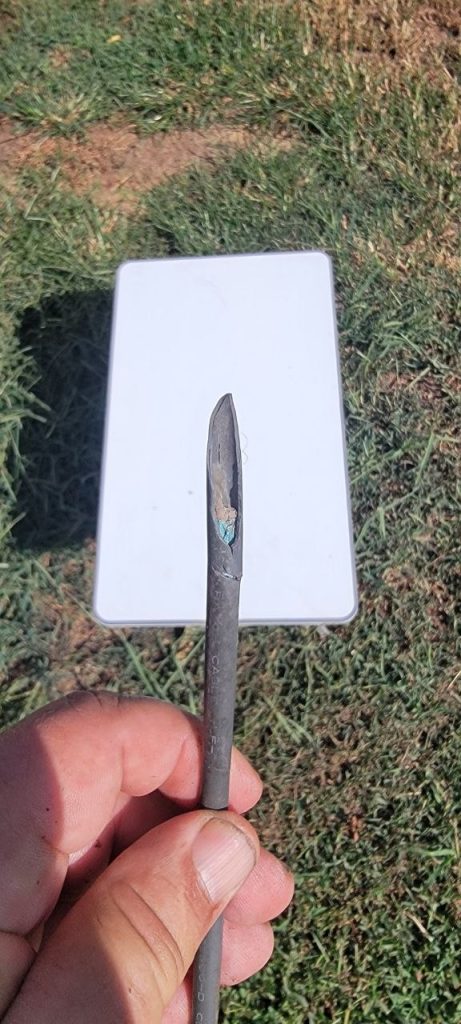
The more common weak point for us has been the cable:
- A landlord damaged one with a weed trimmer.
- Another ran across our driveway and worked its way out from beneath the cable protectors, eventually failing.
Both times, having a spare cable meant we could restore service immediately instead of waiting for another one to arrive.
If Starlink is essential for your job, I strongly recommend keeping a spare cable that fits your hardware.
Who I Think Starlink Is Best For
Full-Time RVers
This is the most obvious use. Starlink allowed us to choose destinations based on where we wanted to be instead of where a cell carrier happened to work.
Remote Workers in Rural Areas
My wife is the clearest example. A stable connection supports her VPN, meetings, file transfers, and Wi-Fi calling every workday.
People Who Travel but Need Dependable Internet
That includes campers, seasonal travelers, remote vacations, and anyone who can’t simply disappear from work or business whenever the cell signal drops.
Rural Homes and Properties
Our future off-grid cabin is in a part of West Tennessee where conventional high-speed options are limited. Starlink lets us build and live there without giving up remote work or online business.
Who Might Not Need It
I haven’t performed a controlled comparison against every fiber, cable, or cellular provider, so I’m not going to pretend I have.
If you already have reliable, affordable wired high-speed service, compare the cost and your actual needs before changing.
Starlink also needs power and a useful view of the sky. A property completely boxed in by tall trees may require more planning than simply placing a dish on the ground.
I have never used our Starlink while the RV was moving. Starlink’s plans and authorized in-motion hardware can change, so consult its current Roam information if that feature matters to you.
Is Starlink Worth $175 Per Month?
For us, yes.
The price recently increased from $165 to $175 for our Roam plan. I don’t enjoy paying more, but the honest answer is that we would have trouble putting a firm price ceiling on it. We couldn’t maintain our current work and lifestyle without dependable internet.
We’re also paying for the ability to travel with it. Someone who needs Starlink only at a fixed home or property should compare the current Residential and Roam options rather than assuming our $175 bill is what everyone pays.
That doesn’t mean $175 is cheap. It means the value is larger than the bill for our household.
My Four-Year Verdict
Go for it.
I recommend Starlink without hesitation for full-time RVers and anyone looking for high-speed internet where conventional options are weak or unavailable.
We bought it because we needed reliable internet for remote work and content production. Four years later, it remains one of the pieces of infrastructure that makes our entire lifestyle possible.
Reward or no reward, I would still recommend it.
Eligible new Residential or Roam customers ordering through my referral link receive one free month during their second month. I receive a $100 Starlink service credit after a qualifying referral. Program terms, plans, prices, and hardware can change, so confirm the current details with Starlink before ordering.
Frequently Asked Questions
What Speeds Do You Get?
At our current rural Tennessee location, we commonly see more than 100 Mbps down and around 20 Mbps up with low latency. Those are personal results, not guaranteed speeds.
Can Starlink Support Remote Work Through a VPN?
It supports my wife’s full-time remote work, including an always-on VPN, Teams, video meetings, large file transfers, and Wi-Fi calling.
Can Two People Work Online Simultaneously?
Yes. My wife routinely works while I upload videos, manage websites, produce content, or livestream.
Does Starlink Work in Thunderstorms?
Heavy thunderstorms can cause temporary interruptions. We’ve experienced only a few meaningful disruptions over four years.
Do Trees Interfere With Starlink?
They can. Performance around partial obstructions has improved in our experience, but we still choose the clearest available area and recommend checking the location with the Starlink app.
Is Starlink Difficult to Set Up?
Our Gen 2 system takes only a few minutes to deploy. We place the dish, route the cable, connect the router, and apply power.
Should an RVer Carry a Spare Starlink Cable?
Yes. We’ve lost two cables to physical damage or wear, and the spare got us back online immediately both times.
Do You Still Carry Cellular Internet as a Backup?
No. We canceled the cellular router and SIM plans within a few months of adopting Starlink.
Have You Used Starlink While Driving?
No. All of our firsthand experience is while parked.
What Does the Starlink Referral Offer Provide?
According to the current offer shown in our account, eligible new Residential or Roam customers who order through our unique link receive a free month during their second month.
If the referral qualifies, I receive a $100 Starlink service credit.